Outline
Documentation for the `outline` function.
A table of contents, figures, or other elements.
This function generates a list of all occurrences of an element in the document, up to a given depth. The element's numbering and page number will be displayed in the outline alongside its title or caption.
Example
Alternative outlines
In its default configuration, this function generates a table of contents. By setting the target parameter, the outline can be used to generate a list of other kinds of elements than headings.
In the example below, we list all figures containing images by setting target to figure.where(kind: image). Just the same, we could have set it to figure.where(kind: table) to generate a list of tables.
We could also set it to just figure, without using a where selector, but then the list would contain all figures, be it ones containing images, tables, or other material.
#outline( title: [List of Figures], target: figure.where(kind: image),)#figure( image("tiger.jpg"), caption: [A nice figure!],)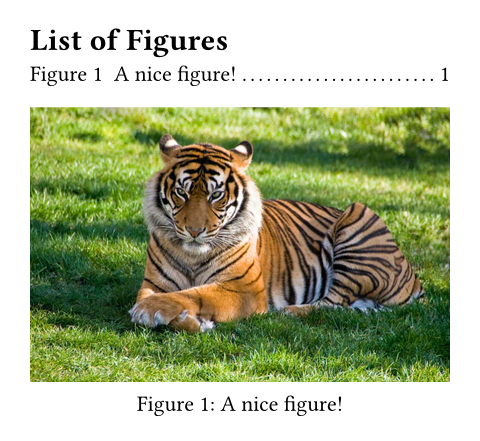
Styling the outline
At the most basic level, you can style the outline by setting properties on it and its entries. This way, you can customize the outline's title, how outline entries are indented, and how the space between an entry's text and its page number should be filled.
Richer customization is possible through configuration of the outline's entries. The outline generates one entry for each outlined element.
Spacing the entries
Outline entries are blocks, so you can adjust the spacing between them with normal block-spacing rules:
Building an outline entry from its parts
For full control, you can also write a transformational show rule on outline.entry. However, the logic for properly formatting and indenting outline entries is quite complex and the outline entry itself only contains two fields: The level and the outlined element.
For this reason, various helper functions are provided. You can mix and match these to compose an entry from just the parts you like.
The default show rule for an outline entry looks like this1:
#show outline.entry: it => link(
  it.element.location(),
  it.indented(it.prefix(), it.inner()),
)- The
indentedfunction takes an optional prefix and inner content and automatically applies the proper indentation to it, such that different entries align nicely and long headings wrap properly. - The
prefixfunction formats the element's numbering (if any). It also appends a supplement for certain elements. - The
innerfunction combines the element'sbody, the filler, and thepagenumber.
You can use these individual functions to format the outline entry in different ways. Let's say, you'd like to fully remove the filler and page numbers. To achieve this, you could write a show rule like this:
#outline(
  title: none | auto | content,
  target: label | selector | location | function,
  depth: none | int,
  indent: auto | relative | function
) -> content
Parameters
Prop
Type
Definitions
Represents an entry line in an outline.
With show-set and show rules on outline entries, you can richly customize the outline's appearance. See the section on styling the outline for details.
#outline.entry(
  level,
  element,
  fill: none | content
) -> content
Parameters
Prop
Type
Definitions
A helper function for producing an indented entry layout: Lays out a prefix and the rest of the entry in an indent-aware way.
If the parent outline's indent is auto, the inner content of all entries at level N is aligned with the prefix of all entries at level N + 1, leaving at least gap space between the prefix and inner parts. Furthermore, the inner contents of all entries at the same level are aligned.
If the outline's indent is a fixed value or a function, the prefixes are indented, but the inner contents are simply offset from the prefix by the specified gap, rather than aligning outline-wide. For a visual explanation, see outline.indent.
#entry.indented(
  prefix,
  inner,
  gap: length
) -> content
Parameters
Prop
Type
Formats the element's numbering (if any).
This also appends the element's supplement in case of figures or equations. For instance, it would output 1.1 for a heading, but Figure 1 for a figure, as is usual for outlines.
Creates the default inner content of the entry.
This includes the body, the fill, and page number.
The content which is displayed in place of the referred element at its entry in the outline. For a heading, this is its body; for a figure a caption and for equations, it is empty.
The page number of this entry's element, formatted with the numbering set for the referenced page.