Figure
Documentation for the `figure` function.
A figure with an optional caption.
Automatically detects its kind to select the correct counting track. For example, figures containing images will be numbered separately from figures containing tables.
Examples
The example below shows a basic figure with an image:
@glacier shows a glacier. Glaciersare complex systems.#figure( image("glacier.jpg", width: 80%), caption: [A curious figure.],) <glacier>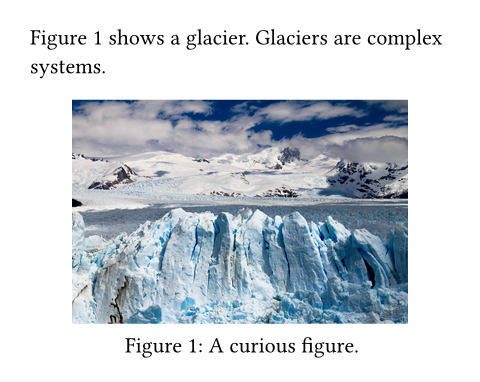
You can also insert tables into figures to give them a caption. The figure will detect this and automatically use a separate counter.
This behaviour can be overridden by explicitly specifying the figure's kind. All figures of the same kind share a common counter.
Figure behaviour
By default, figures are placed within the flow of content. To make them float to the top or bottom of the page, you can use the placement argument.
If your figure is too large and its contents are breakable across pages (e.g. if it contains a large table), then you can make the figure itself breakable across pages as well with this show rule:
#show figure: set block(breakable: true)See the block documentation for more information about breakable and non-breakable blocks.
Caption customization
You can modify the appearance of the figure's caption with its associated caption function. In the example below, we emphasize all captions:
By using a where selector, we can scope such rules to specific kinds of figures. For example, to position the caption above tables, but keep it below for all other kinds of figures, we could write the following show-set rule:
Accessibility
You can use the alt parameter to provide an alternative description of the figure for screen readers and other Assistive Technology (AT). Refer to its documentation to learn more.
You can use figures to add alternative descriptions to paths, shapes, or visualizations that do not have their own alt parameter. If your graphic is purely decorative and does not have a semantic meaning, consider wrapping it in pdf.artifact instead, which will hide it from AT when exporting to PDF.
AT will always read the figure at the point where it appears in the document, regardless of its placement. Put its markup where it would make the most sense in the reading order.
#figure(
  body,
  alt: none | str,
  placement: none | auto | alignment,
  scope: str,
  caption: none | content,
  kind: auto | str | function,
  supplement: none | auto | content | function,
  numbering: none | str | function,
  gap: length,
  outlined: bool
) -> content
Parameters
Prop
Type
Definitions
The caption of a figure. This element can be used in set and show rules to customize the appearance of captions for all figures or figures of a specific kind.
In addition to its position and body, the caption also provides the figure's kind, supplement, counter, and numbering as fields. These parts can be used in where selectors and show rules to build a completely custom caption.
#figure.caption(
  position: alignment,
  separator: auto | content,
  body
) -> content
Parameters
Prop
Type