Bibliography
Documentation for the `bibliography` function.
A bibliography / reference listing.
You can create a new bibliography by calling this function with a path to a bibliography file in either one of two formats:
- A Hayagriva
.yaml/.ymlfile. Hayagriva is a new bibliography file format designed for use with Typst. Visit its documentation for more details. - A BibLaTeX
.bibfile.
As soon as you add a bibliography somewhere in your document, you can start citing things with reference syntax (@key) or explicit calls to the citation function (#cite(<key>)). The bibliography will only show entries for works that were referenced in the document.
Styles
Typst offers a wide selection of built-in citation and bibliography styles. Beyond those, you can add and use custom CSL (Citation Style Language) files. Wondering which style to use? Here are some good defaults based on what discipline you're working in:
| Fields | Typical Styles |
|---|---|
| Engineering, IT | "ieee" |
| Psychology, Life Sciences | "apa" |
| Social sciences | "chicago-author-date" |
| Humanities | "mla", "chicago-notes", "harvard-cite-them-right" |
| Economics | "harvard-cite-them-right" |
| Physics | "american-physics-society" |
Example
This was already noted bypirates long ago. @arrghMultiple sources say ...@arrgh @netwok.#bibliography("works.bib")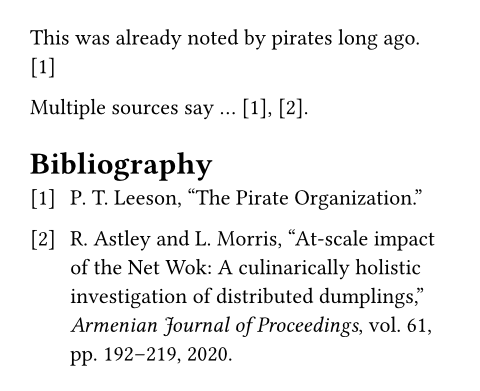
#bibliography(
  sources,
  title: none | auto | content,
  full: bool,
  style: str | bytes
) -> content
Parameters
Prop
Type